Trust and review dates
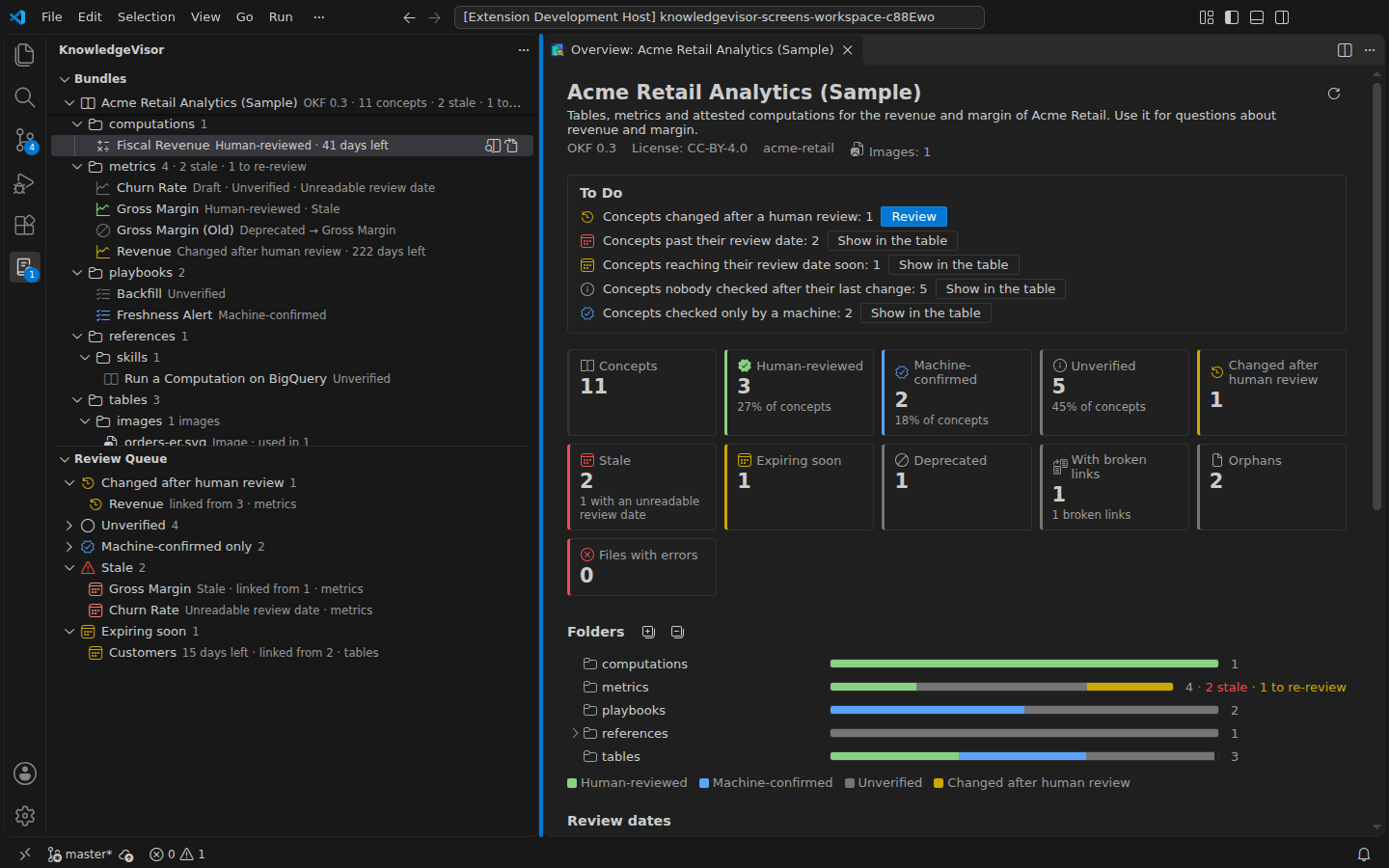
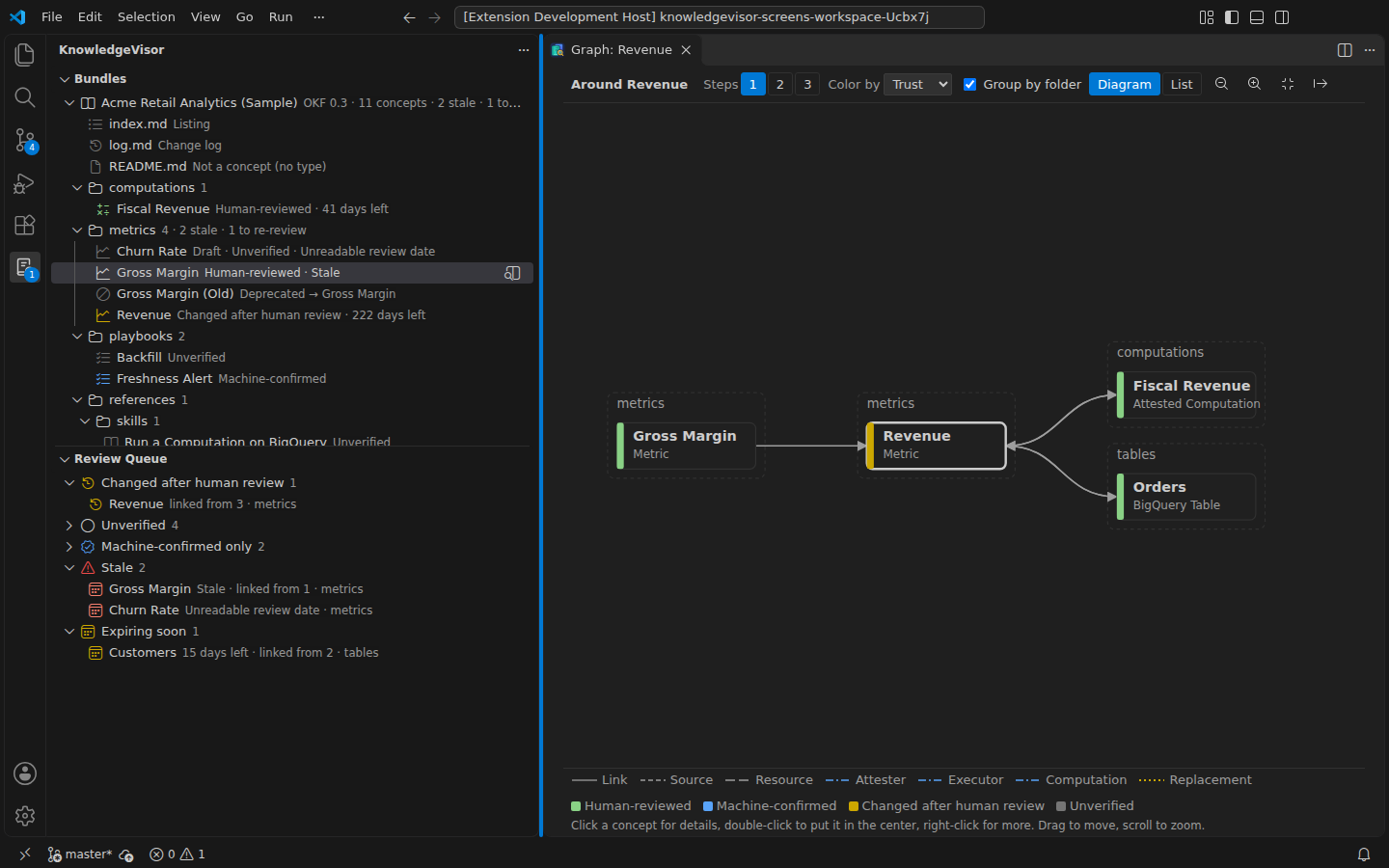
Human-reviewed, machine-confirmed, unverified and changed after human review, plus stale concepts and days left, shown in the tree and as Explorer badges.
 KnowledgeVisorKnowledge
See your OKF (Open Knowledge Format) knowledge bundles at a glance: whether a person checked each concept, when to review it, and what links to it, without opening the files one by one.
I'll make it easy to see what has been checked.

Human-reviewed, machine-confirmed, unverified and changed after human review, plus stale concepts and days left, shown in the tree and as Explorer badges.
Concepts to review are grouped by reason and ordered by incoming links. The diff editor shows the changes since the last human review.
Mark as Reviewed, Extend Review Date and Deprecate, one concept at a time. Only the changed lines are rewritten; the text and comments stay as they are.
An overview per bundle, a table that stays light even with 50,000 concepts, and a relation graph that follows the links.
32 checks in Problems, with completion and quick fixes. Move a concept and the links that point to it are updated.
Agents can search and read concepts with their trust. When they write, you check the diff, and agents can never record a human review.
Click a screenshot to enlarge it.
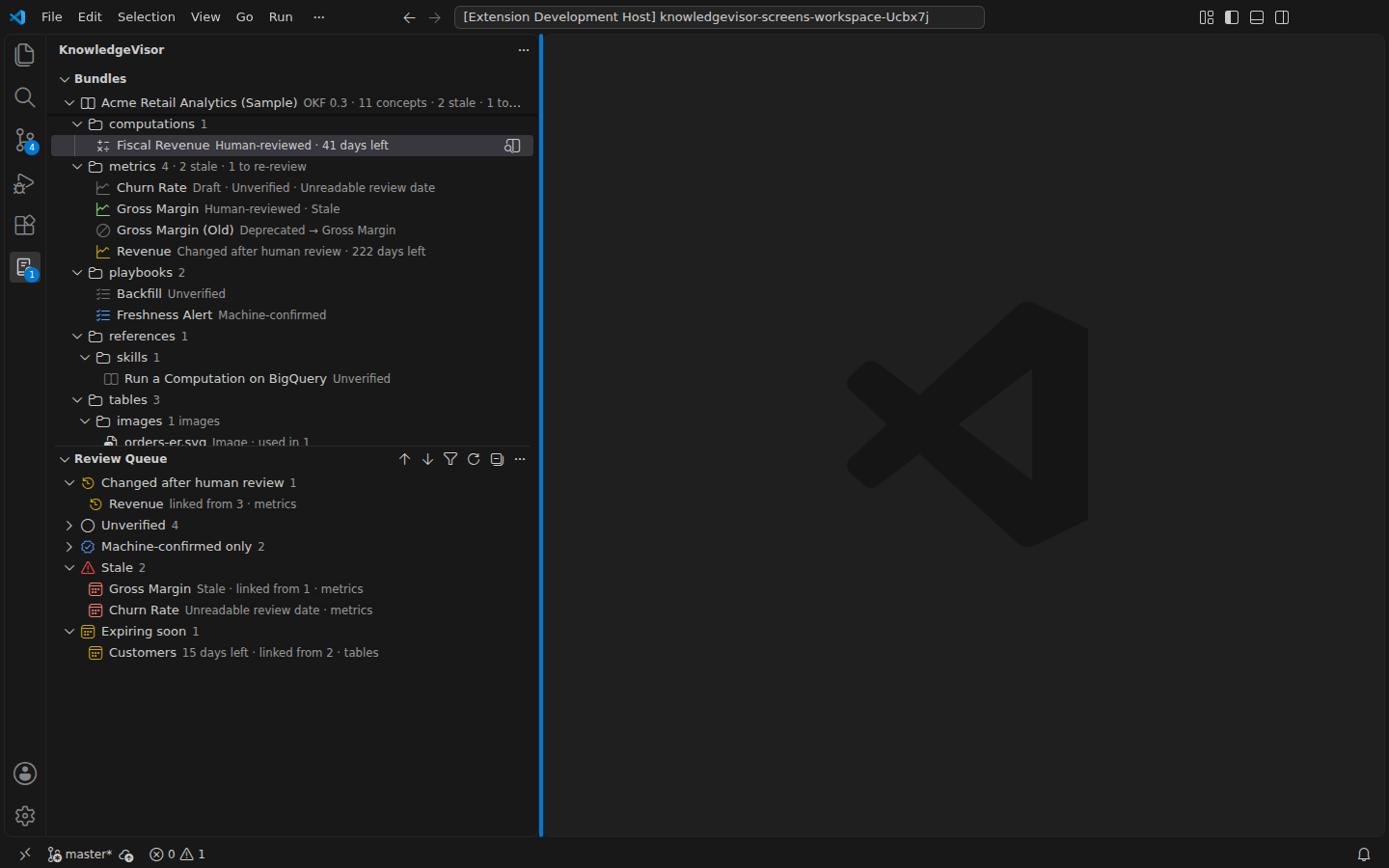
Open the review queue to see concepts changed after human review and unverified ones. Check the changes since the last review and press Mark as Reviewed.

Just look at what changed.
Spot stale and soon-to-expire concepts in the monthly review dates of the overview, then filter them in the table to decide what to review first.

Let's peek at the ones about to expire first.
Move concepts and folders, and the links that point to them are rewritten. You can leave a note at the old place that points to the new one.

I'll reconnect the links so none of them break.
They share the same look and feel.