
Six databases
PostgreSQL 14 or later, MySQL 8.0 or later, MariaDB 10.11 or later, SQL Server 2019 or later, Oracle 19c or later (no Oracle Client needed), and SQLite.
Save connections in .vscode/dbvisor.json in the workspace to share them through Git. Passwords stay in VS Code SecretStorage. SSL and SSH tunnels are supported.
Give each connection an environment (development, staging or production). Production is shown in red and asks before running. Connections can also be read-only.
Write SQL at the top of a data tab, then edit values, add rows and delete rows in the result grid below. DBVisor shows the SQL before applying it.
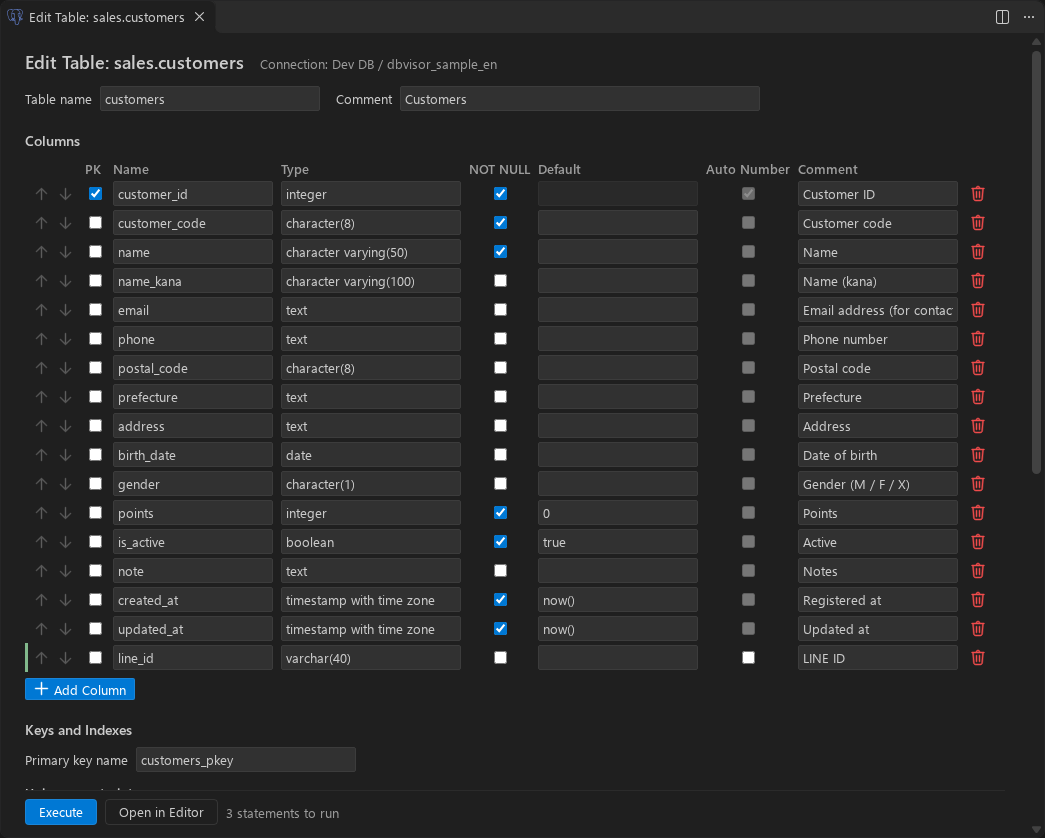
Fill in a form to build CREATE TABLE, or ALTER TABLE from the differences. Follow the relations between tables in the ER diagram.
Agents run SELECT statements in read-only transactions. SQL that changes data runs only after you check it. Passwords are never passed on.
Click a screenshot to enlarge it.
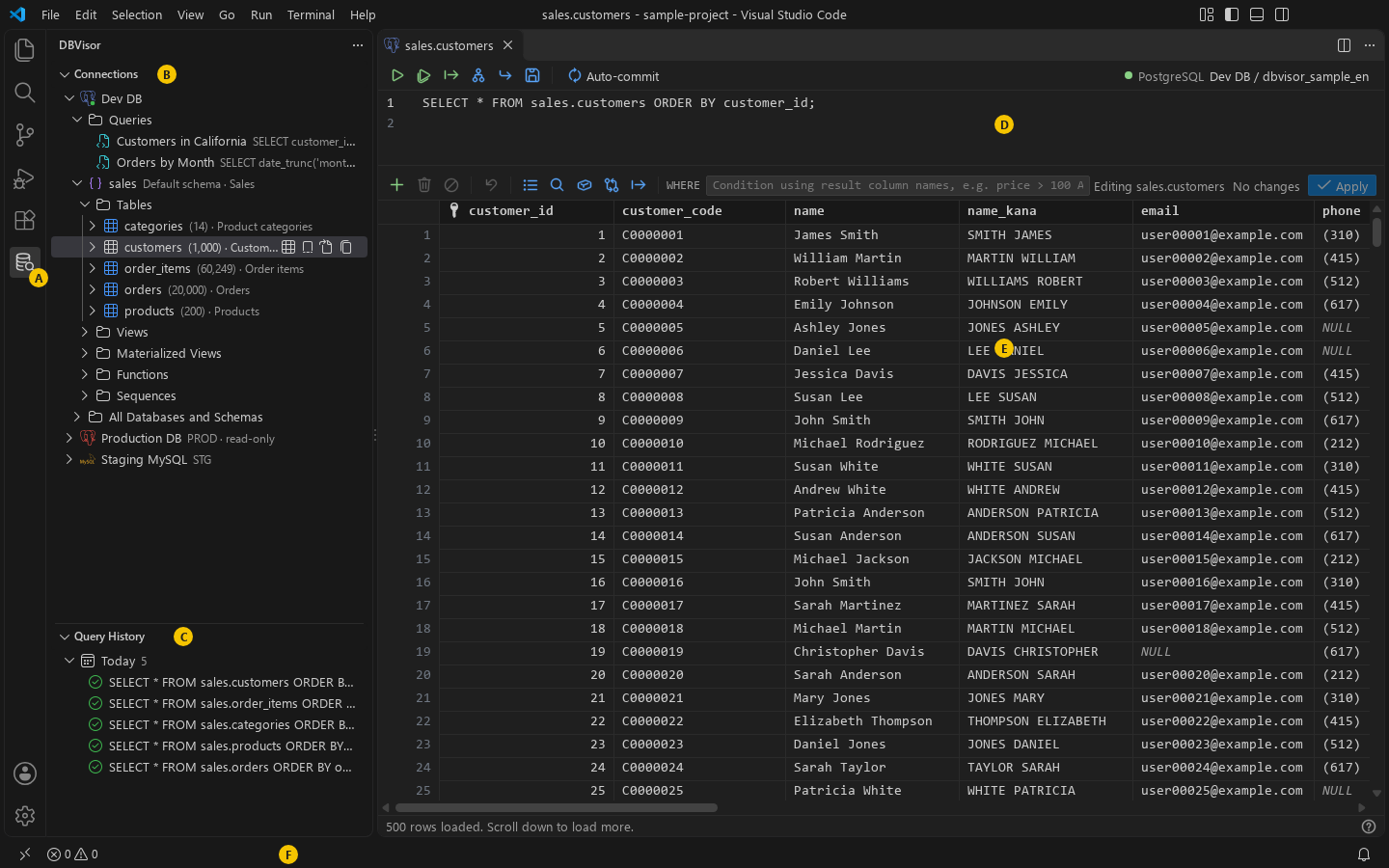
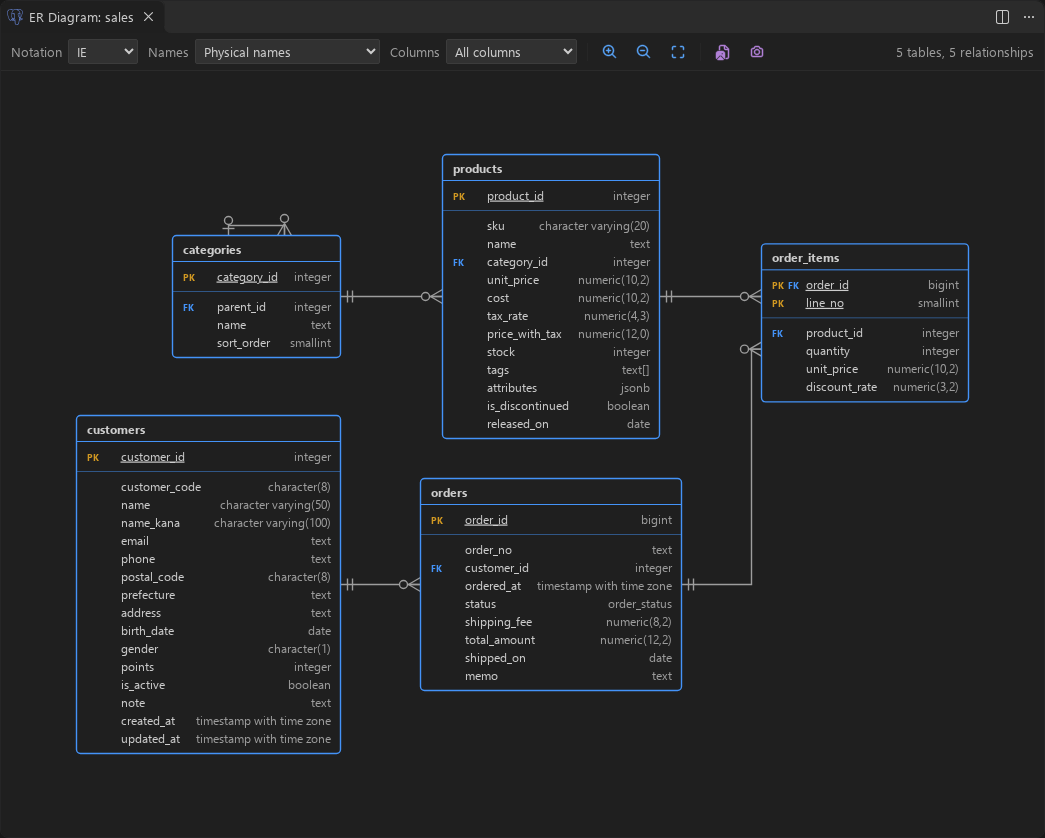
Comments (logical names) and estimated row counts appear next to the names in the tree. Find tables and columns by their logical names, and follow their relations in the ER diagram.

Search by logical name and you'll find the table in no time.
Edit values in the result grid and check the UPDATE statement before applying it. On a production connection, DBVisor asks once more.

I'll show you the SQL before applying it.
Try the Sample Database creates a small SQLite database with customers, products and orders, so you can try editing, SQL and the ER diagram right away.
It's only a sample, so anything goes!
An agent reads the table definitions and comments, writes the SQL and opens it in a data tab for you. You decide whether to run it.

Once it's written, take a peek before you run it.
They share the same look and feel.