


Open in Explorer
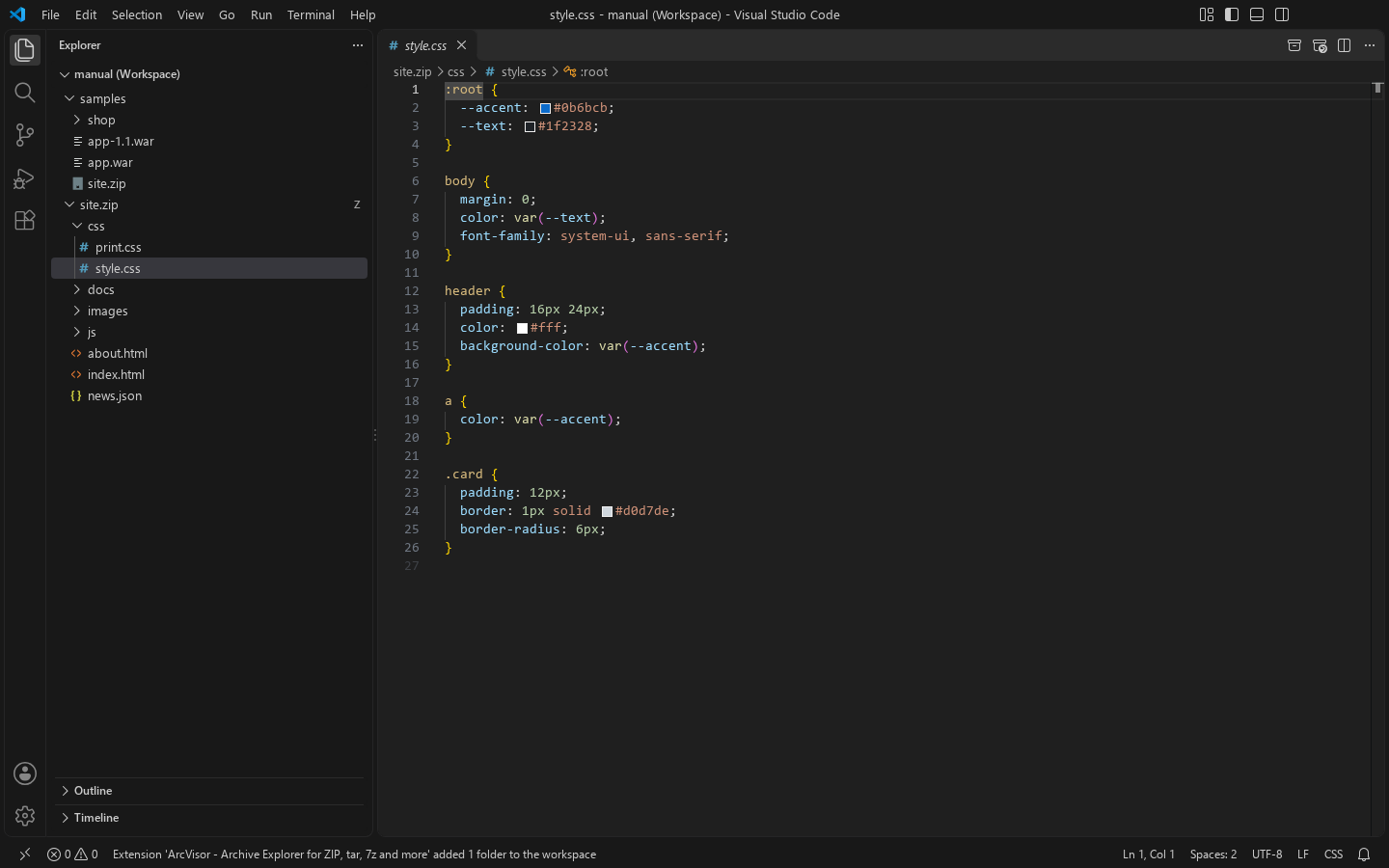
Double-click an archive and it becomes a folder with a format badge. Files open in the usual editors and can be copied out with copy and paste.
Edit and save files in ZIP and tar archives, and ArcVisor writes them back about a second later. It writes a temporary file first, so no half-written archive is ever left.
Compress to ZIP in one step, or choose the format, the level, what to exclude (.git, node_modules and so on) and a password with Compress....
Format, number of files, sizes, compression ratio and a size breakdown by folder. Compare two archives in the diff editor.
Nothing is written outside the destination, and archives that would expand hugely are checked first. Japanese file names in ZIP files from Japanese Windows are read correctly.
Agents list, search and read files in archives through MCP without extracting them. You confirm every extraction and change.
Click a screenshot to enlarge it.
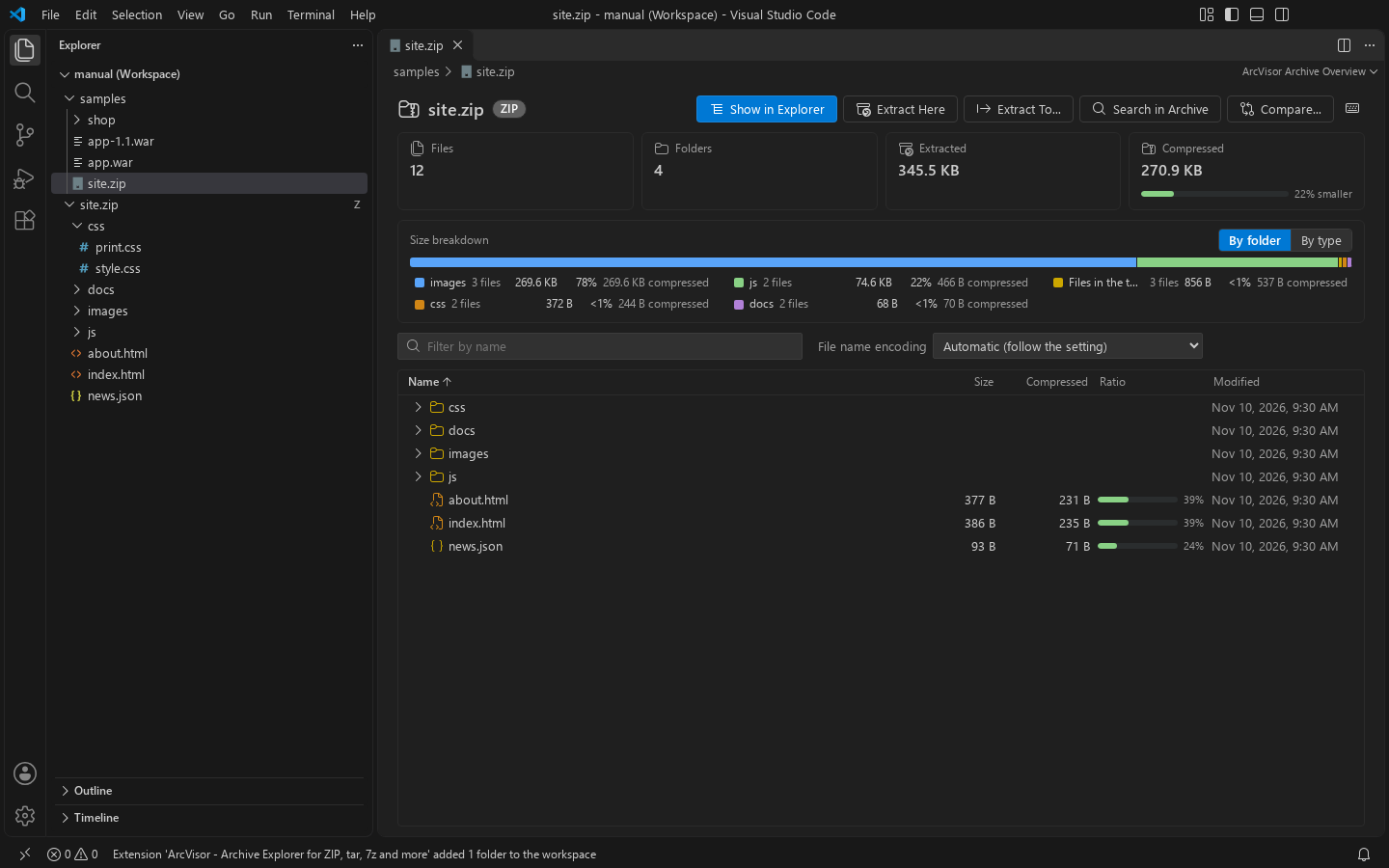
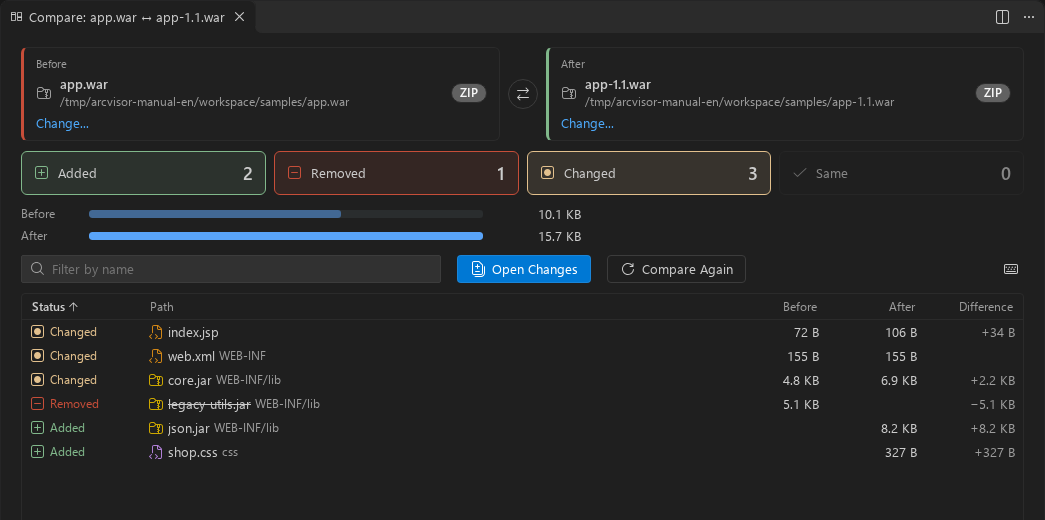
See whether a VSIX, jar or war contains the files it should and nothing more, without extracting it. Compare it with the previous version to spot added and changed files.

Compare it with the last version and new files stand out.
No need to extract, edit and compress again. Open the file inside, save it, and ArcVisor writes it back to the archive.

When you save, I'll put it back in the archive.
Japanese file names (Shift_JIS) in ZIP files made on Japanese Windows are read correctly, and you can choose another encoding for each archive.

Garbled names? No need to panic.
They share the same look and feel.