
Server folders in the Explorer
Open, edit, save, create, rename, delete, and drag and drop, between local and remote and between hosts.
 SSHVisorSSH & files
SSHVisor puts folders on your servers into the VS Code Explorer. Open, edit and save files as with local folders, and move files in and out by drag and drop or copy and paste. Nothing is installed on the server.
I'll always ask before overwriting production files.

Open, edit, save, create, rename, delete, and drag and drop, between local and remote and between hosts.
SFTP requests are pipelined and large files use 4 channels. Copying a 64 MiB file was 7 times faster to the server and 9.6 times faster from it than with SSH FS (with a 52 ms round trip).
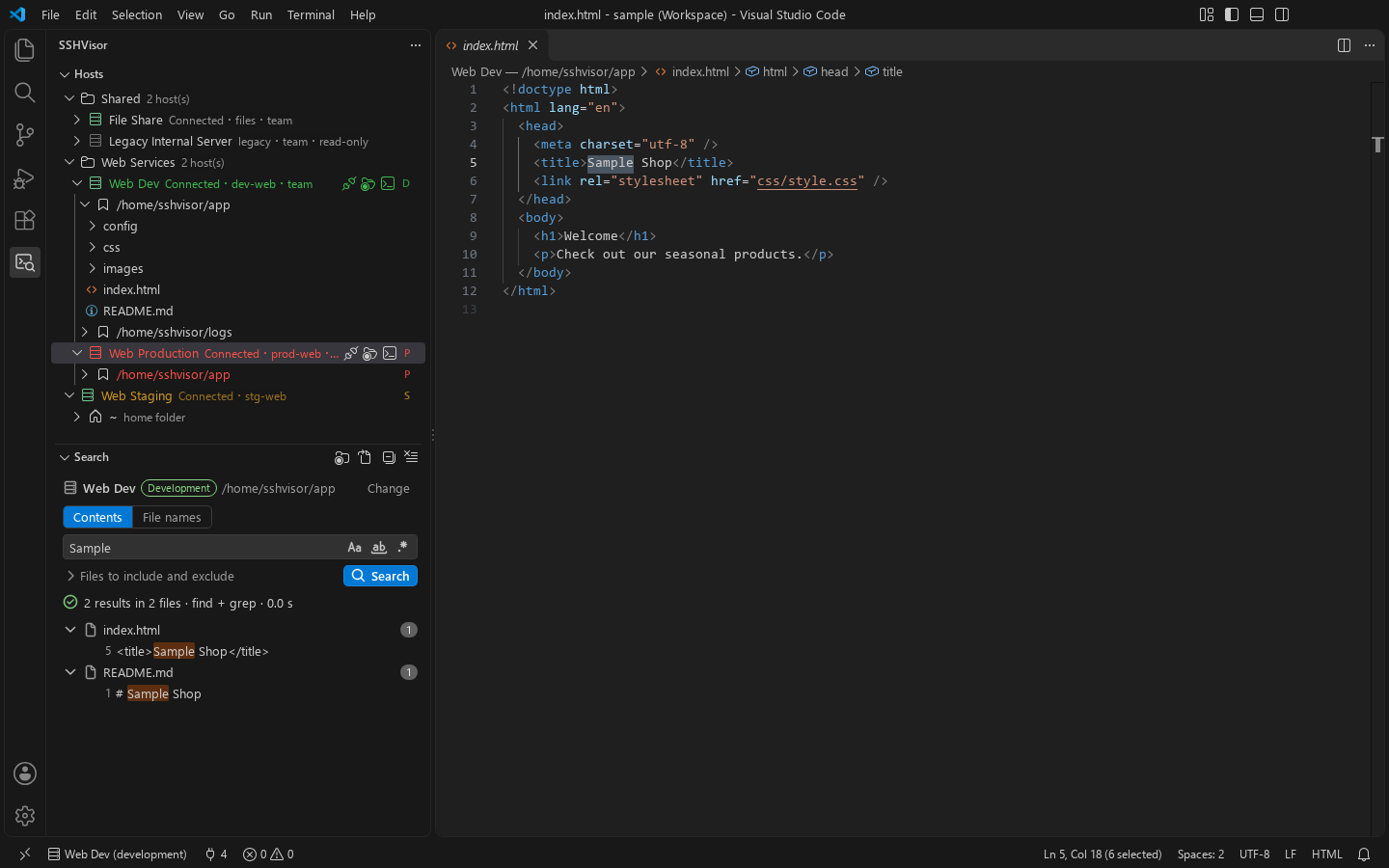
rg (or grep) runs on the server, so 10,000 files are searched in under 0.5 seconds even with a 52 ms round trip.
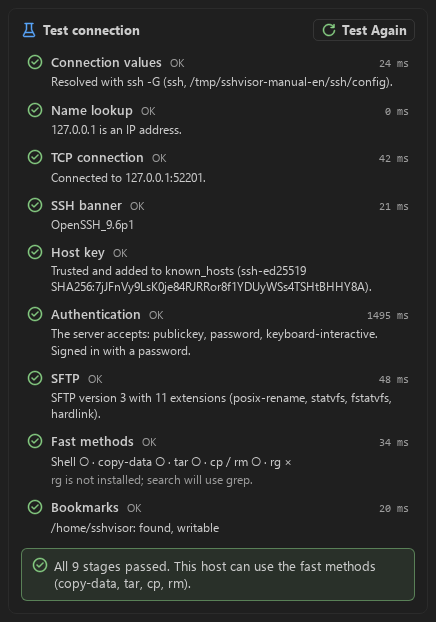
Uses ~/.ssh/config as it is and checks connections in nine stages. Import the sites saved in SSH FS, PuTTY, WinSCP and FileZilla.
Files on production hosts are shown in red, and SSHVisor asks before deleting or overwriting them. Hosts can also be read-only.
Agents read only as far as you allow for each host. Writing files and running commands need your approval. Keys and .env files are never read.
Click a screenshot to enlarge it.
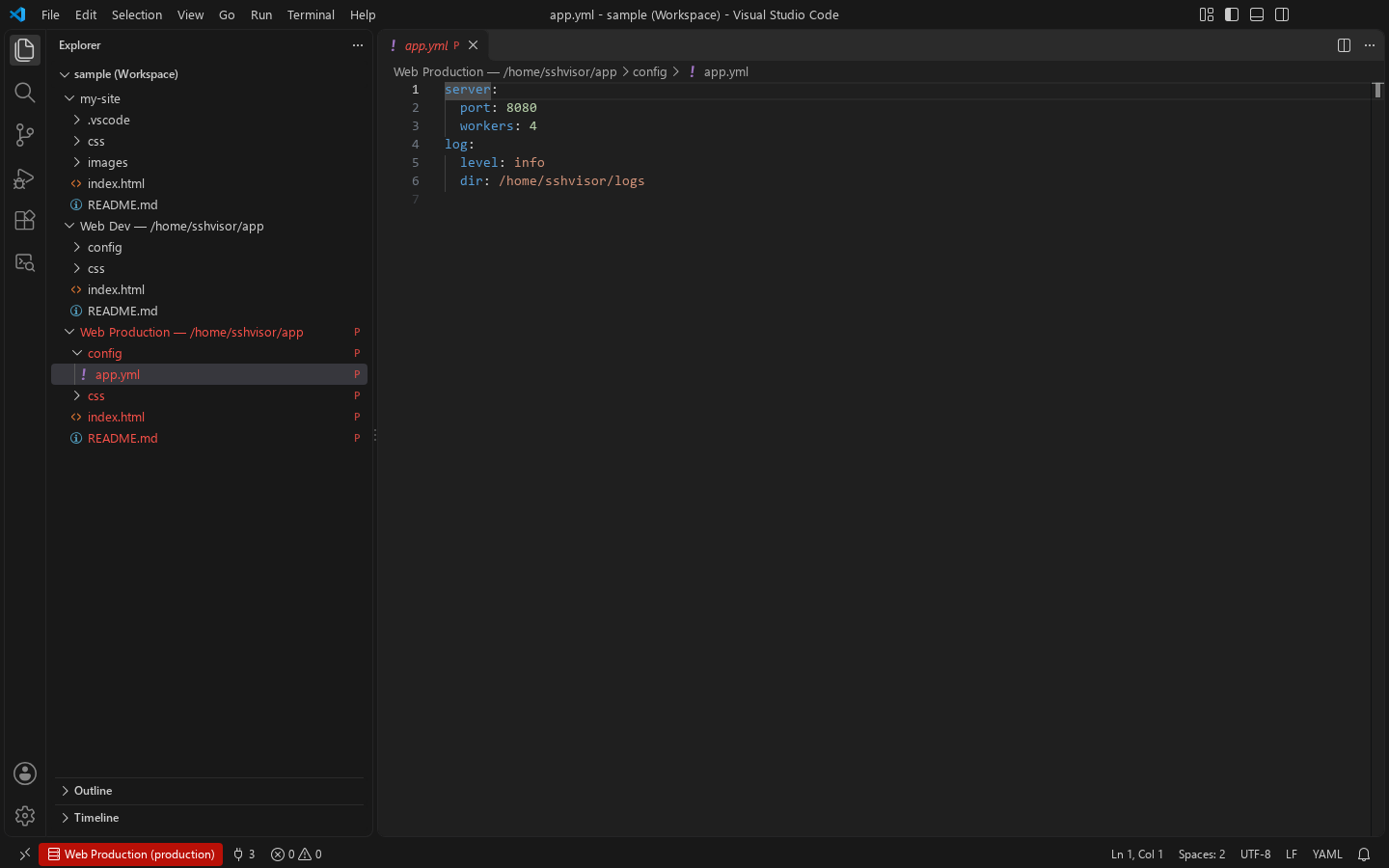
Open the file on the server in the Explorer, edit it and save. On a production host, SSHVisor asks before overwriting.

Edit it just like a local file.
Upload by drag and drop even where Remote - SSH cannot run. Folders with many small files arrive faster when sent as one tar stream.

I'll carry lots of files in one go.
Import your saved sites with Import from Other Tools.... Saved passwords move to SecretStorage if you allow it.
Bring your old settings right along.
They share the same look and feel.