
Seven protocols, one screen
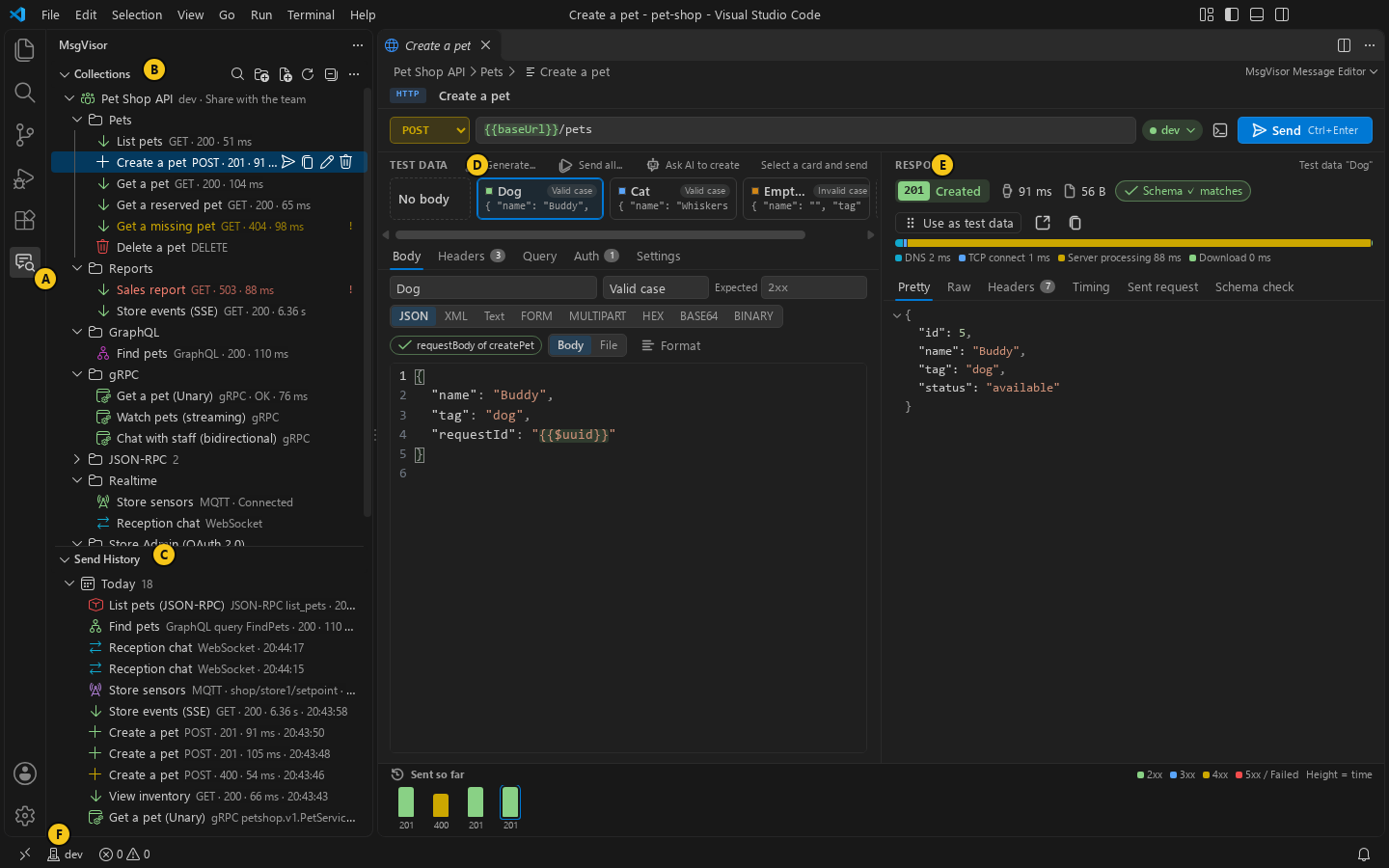
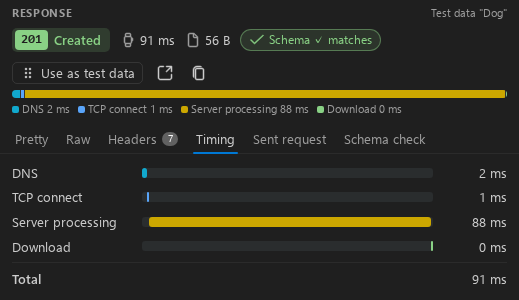
The target row, the test data cards, and the response or timeline. Every protocol has the same layout, so once you learn one, the others work the same way.
 MsgVisorAPI & messaging
Give requests and connections for HTTP/REST, GraphQL, gRPC, JSON-RPC, MQTT, WebSocket and Server-Sent Events several test data items, and send them from VS Code. Collections are YAML files, so you can review and share them in Git.
Let's line up the valid and invalid cases as cards.

The target row, the test data cards, and the response or timeline. Every protocol has the same layout, so once you learn one, the others work the same way.
Keep valid, invalid and edge cases as cards and pick one to send. Drag a response or a received message onto the cards to turn it into new test data.
Build valid and invalid cards from the shapes in OpenAPI, GraphQL, gRPC and more. Write the expected result, and the response says "As expected" or "Not as expected".
Send several cards, or one card per row of a CSV or JSON Lines data file, and see pass, fail and times in a table. Export the results to CSV or JSON.
Choose where to save each collection. Shared collections go in .vscode/msgvisor/ and are shared through Git.
Agents can send only read-only requests. Requests that change data are sent only in environments you allow, after you confirm them in VS Code. Secret values are never passed on.
Click a screenshot to enlarge it.
Generate invalid cards (a missing required field, a value out of range, a string too long) for requests imported from OpenAPI, send them all, and check the results in a table.

One violation per card, so you can see exactly what went wrong.
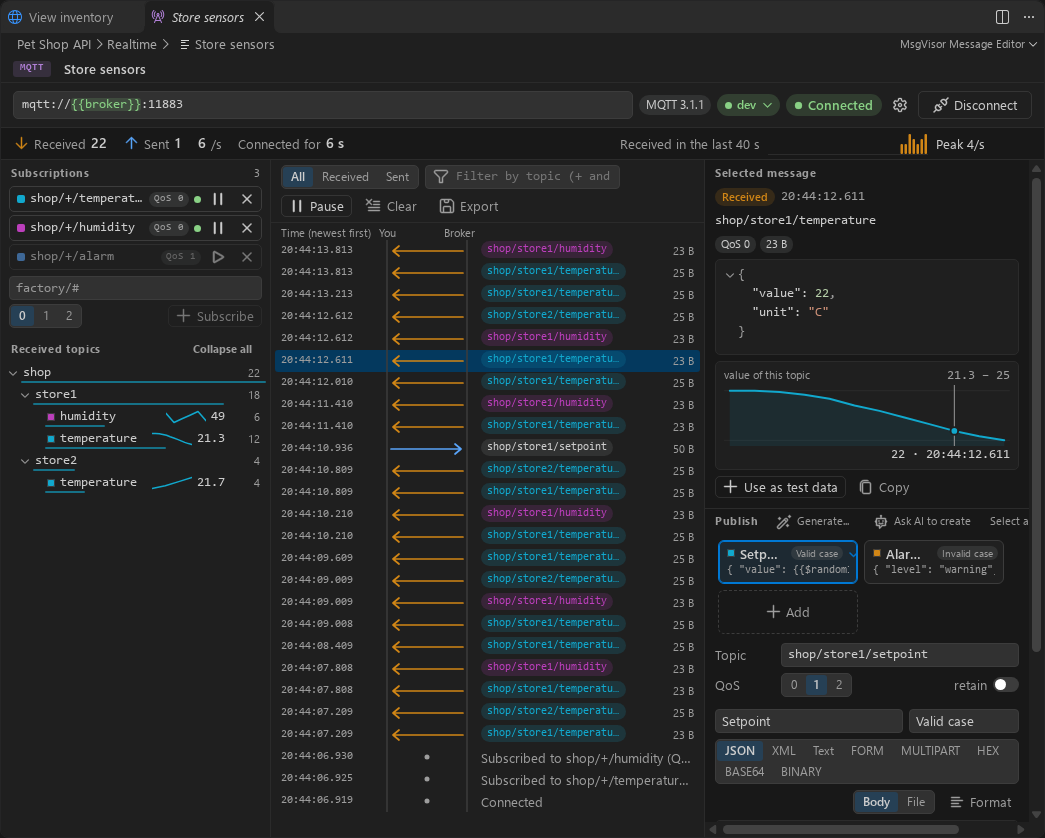
Subscribe to topics and see the received messages on a timeline, in a topic tree and in a value chart.

I'll line up every message that arrives.
Share collections through Git and switch environments (dev, stg, prod) to send them. In production, MsgVisor asks before sending.

Switch the environment and the same request just works.
They share the same look and feel.